
Phone: 0408 359 072 Licence: 71826620S
| Alarm Services NessBoschAdemco HoneywellCrow |
Alarm system keypad beeping faults fixed
| DSC DAS Solution Hills NX NetworxContact |
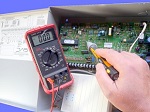
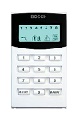
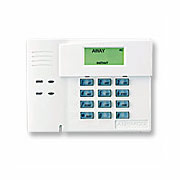
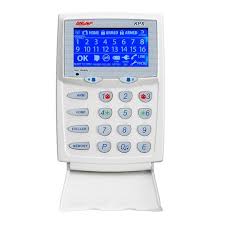
Is your home security alarm system keypad beeping?We can stop an annoying alarm beeping keypads to many types in Melbourne. Burglar alarm owners may also experience intermittent shrieking from the internal siren or outdoor siren. A beeping alarm keypad is a sign that your alarm maintenance maybe overdue and requires service immediately. Lights or a text wording can then give you further information about the beeping error. The instruction manual may have instructions on silencing a chirping or beeping keypad. Why do I have an alarm beeping keypad?A beeping sound from the code pad from your alarm system may happen requesting your attention that the security system is now due for a service. The best way to your alarm from beeping is to get it serviced immediately otherwise your sound making devices connected to the system may sound unexpectedly Why is my alarm system code pad beeping?From time to time some aged security systems may incur non-stop sounding sirens to there property. Also alarm systems will emit a beeping sound from the code pad to signal a system fault. This is a sign that your alarm system now requires immediate service. During a constant beeping sound at the keypad this may also display a service condition indicating a: |
- SERVICE indicator ON (applicable to many various alarm types including DAS, Hills Reliance)
- POWER light flashing (mostly common to Hills Alarms)
- FAULT indicator flashing to many Bosch alarms
- flashing MAINS light/indicator ON (mostly common to Bosch and Ness alarms)
- Flashing BATTERY light/indicator ON (related to the Ness KpX D8 code pads)
|
Other message, symbol or icons maybe displayed to give you further information about this service condition. The user guide may have information about the alarm system condition. The reason for an alarm beeping code pad include: |
- phone connection error
- loss of MAINS power
- main back-up low battery
- smoke alarm low battery
- receiver module error
- expander trouble
- fuse fault (possibly due to a blown fuse)
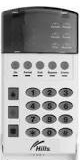
How to prepare yourself for avoiding unexpected false alarms sounding loudlyIf you own an intruder alarm system and if you never use this device (if you now own pets or do not know the code) please note where your AC plug pack and battery back-up is located. This ensures that if your alarm sounds loudly non-stop for no reason you can safely disconnect the system and stop this loud noise. Even if your alarm system is not used it may develop a 24-hour tamper device fault due to old age. If you do not use your alarm system always remember your user pin code so you can disarm the sirens in case of an emergency. This may be the easiest way to stop this very loud noise condition. You may have an unexpected power surge or lightning strike hit to the property or another emergency which can upset the apple card. If you still cannot turn OFF your alarm with your security code, disconnect your alarm battery and switch OFF the power to the system. Alarm beeping to Solution alarm code pad to power and battery conditionsBEEPING SOUND WHEN MAINS TURNED OFF – If the mains transformer is unplugged from the power point the keypad may SOUND once very minute. To silence this activity, press and hold down the number 5 button until you hear two beeps. Press the # key to exit this feature. This alarm system beeping is very common to Solution systems and should be addressed straight away. When in user programming mode two beeps means a valid program change. One long beep means an incorrect program change or command Alarm beeping to Ness security code pad to power and battery conditionsBEEPING SOUND WHEN MAINS TURNED OFF – If the AC plug pack is unplugged or the mains POWER is turned OFF, the keypad may start beeping then this should silence itself after 30 seconds. If the battery is running low the keypad may start beeping and the battery indicated will flash continuously. For programming mode three beeps means a valid program command and one long beep means an incorrect program command Hills alarm system keypad beeping to power and service indicatorsA BEEPING CONDITION may sound from the keypad when the service light is ON or when the power light is FLASHING requesting your attention that the security system now requires a service. 12 reasons why my DAS Hills alarm system keypad is beeping:
This fault-finding analysis function below to your Hills DAS alarm system is very helpful because it assists you to help fault find the reason why you have a Hills alarm beeping keypad including low battery The service light will be “lit” if the security system requires service. If the service light is “on”,(lit yellow) Note: Power light flashing indicates a low battery in the main control panel
DSC Alarm beeping keypad when service light indicator is illuminatedBEEPING SOUND may occur if the trouble yellow light or indicator turns ON requesting your attention that the security system is now due for a service. |
Alarm Maintenance Security Licence 71826620S |